> For the complete documentation index, see [llms.txt](https://docs.deep3.ai/llms.txt). Markdown versions of documentation pages are available by appending `.md` to page URLs; this page is available as [Markdown](https://docs.deep3.ai/the-business/our-dapps/hedera-signals/user-guide.md).
# User Guide
## Before you start
Hedera Signals is a **prototype**. It is read-only: there is no wallet to connect, nothing to sign, and no way to place a trade from the app.
The app can run in several **data modes**, and some of them show predictions that no model fired at its normal cutoff. A coloured badge in the top right of every page tells you which mode you are in.
{% hint style="info" %}
Nothing in Hedera Signals is investment advice. See our Terms and Privacy.
{% endhint %}
## Finding your way around
Every screen shares the same frame: a navigation rail on the left, and a page header across the top.
### The navigation rail
The rail sits on the left edge. It shows icons only until you hover over it, then widens to show labels.
| Icon | Page | What it is for |
| --------------- | --------------------- | ---------------------------------------------------------------- |
| House | **Overview** | A one-screen summary of what is happening right now. |
| Cloud | **Wallet Cloud** | The 3D account map. |
| Trending line | **Flow Leaderboard** | Tokens ranked by net buying or selling pressure. |
| Signal bars | **Trade Signals** | Predictions whose time window is still open. |
| Clock | **Signal History** | Predictions whose window has closed, with the outcome. |
| Pie chart | **Insights** | The whole board summarised, plus the models' training metrics. |
| Gear (bottom) | **Settings** | Data mode, display filters, excluded tokens and pipeline health. |
| Scales (bottom) | **Terms and Privacy** | Opens the legal notices in a dialog. |
The rail groups the pages on purpose. The top three (Overview, Wallet Cloud, Flow Leaderboard) describe what actually happened on chain, so they are almost always populated. The next three (Trade Signals, Signal History, Insights) describe what the models think, and they can be empty when the models have nothing to say.
### The page header
Every page opens with a title and a one-line description on the left, and up to three status indicators on the right.
#### Backtest queue badge
Shows the app checking past predictions against real prices in the background. It only appears in modes that use the live service.
| Badge text | Meaning |
| ------------------------------ | ------------------------------------------------------------------ |
| **Reading scores · N tokens** | The app is downloading published predictions. No price checks yet. |
| **Checking SYMBOL · N queued** | The app is fetching prices for SYMBOL. N more tokens are waiting. |
| **Checks up to date** | Every queued token has been checked. Results are cached. |
Price checks are deliberately slow, about one request every 12 seconds, so a full pass over many tokens takes a few minutes. You can keep using the app while it runs.
#### Ingest pulse
Shows whether the pipeline that reads Hedera swaps is still running. Click it to jump to the pipeline panels in Settings.
| Pulse | Meaning |
| ---------------------------- | ---------------------------------------------------------------------------- |
| 🟢 **Ingest live** (pulsing) | Swaps are being read on schedule. |
| 🟡 **Ingest lagging** | The pipeline is 3 to 15 minutes behind. A run may have been skipped. |
| 🔴 **Ingest wedged** | The pipeline is more than 15 minutes behind and has stopped making progress. |
| ⚪ **No run yet** | The pipeline has never reported. |
Hover the pulse to see exactly how far behind it is. Around a minute behind is normal: the pipeline waits for the Hedera indexer to finish writing before it reads.
#### Data-mode badge
Shows which data mode is active, for example **Live**, **Degen 75%** or **Mock data**. Click it to go to Settings, where you can change mode.
### Opening a token
Anywhere you see a token's coloured avatar and symbol, you can click it to open that token's Token Details page. On Trade Signals and Signal History, clicking anywhere on a row does the same.
Token avatars are generated from the symbol, so a token keeps the same colour on every screen.
### Notifications
Short messages appear in the bottom-right corner and fade after a few seconds.
## Data modes
Hedera Signals can show you data from different sources. **Which mode you are in changes what the rows on screen mean**, so it is worth understanding before you read anything else.
You always know which mode you are in:
* The **data-mode badge** in the top right of every page names it.
* In any mode other than Live, an **orange banner** runs across the top of the app explaining what you are looking at, and a thin **orange frame** surrounds the whole window.
* The browser tab title is prefixed, for example **(DEGEN) Overview · Hedera Signals**.
### The modes
| Mode | Badge | Where the data comes from | Are the signals real model calls? |
| ------------------ | ------------ | ----------------------------------------- | ------------------------------------------------------------------------------------------------------------------------------------------------------------------------------------------------------------------------- |
| **Live service** | 🟢 Live | The Hedera Signals scoring service. | **Yes.** A row appears only when a model's probability crosses its own trained cutoff. This is the only mode whose signals are genuine. |
| **Degen mode** | 🟠 Degen N% | The same live scoring service. | **Partly.** The probabilities are real, but each model is allowed to fire at a lower bar than it was trained for. How much lower is set by the Aggressiveness slider. Accuracy at that lower bar has never been measured. |
| **Simulated feed** | 🟠 Mock data | A simulation running inside your browser. | **No.** Every price, volume and probability on the signal screens is invented. The model cutoffs are the real ones. |
{% hint style="info" %}
The **Wallet Cloud** always shows real Hedera account data, whatever mode you are in.
{% endhint %}
#### Live service
What the models actually said at the decision boundary they were trained and measured at. The signal screens can be empty for long stretches in this mode, because the models are conservative. An empty board in Live mode means the models are declining to make a call. It does not mean something is broken.
#### Degen mode
Degen mode is the default for a new browser. It uses real live probabilities and fires any prediction that clears a **reduced** cutoff. At the default setting of **75%**, each model fires at a quarter of its trained cutoff.
In this mode the app changes its language to match: columns headed "Fired" become "Published", "Strongest calls" become "Strongest rows", and each affected row carries an orange **degen 75%** or **reduced cutoff** chip. Backtest outcomes for these rows are drawn as hollow outlines in place of solid green and red, because no model made these calls at its trained cutoff.
You can change how aggressive Degen mode is in Settings.
#### Simulated feed
A self-contained simulation of the whole pipeline. It needs no network connection to the scoring service and is useful for demos and for learning the interface. Backtests do not run in this mode, because the prices are invented and there is nothing real to check them against.
#### Fabricated (not selectable)
Some deployments may be configured to start in a **Fabricated** mode, shown by a **Fabricated** badge. In this mode the app picks the prediction that came closest to firing on each score and shows it as a row, marked **not a signal**. You cannot switch to it from Settings.
### Switching modes
1. Open **Settings** (gear icon at the bottom of the rail, or click the data-mode badge).
2. Under **Data source**, click the card for the mode you want.
3. The page reloads in the new mode. Your filters and favourites are kept.
## Overview
The Overview is the landing page. It answers "what is happening right now?" without any clicks.
### Stat tiles
| Tile | What it shows |
| ---------------------------------------- | ---------------------------------------------------------------------------------------------------------------------------------------------------------- |
| **Tracked** | How many tokens currently have an open tracking event. A token is tracked once it reaches the top of the Flow Leaderboard. |
| **Firing** (Live) / **Adjusted** (Degen) | How many tracked tokens have at least one model call right now, split into how many are under net buying and how many under net selling. |
| **Window volume** | Total traded value across the leaderboard, counting buys and sells separately (they do not cancel out). |
| **Scored last run** | How many tokens the most recent scoring run published a score for, and how many inputs it refused. Shows a dash if no run has happened in the last 7 days. |
### Under most pressure
The top 8 tokens from the Flow Leaderboard. Each row shows:
* Rank and token
* **Gross volume** traded in the window (hover for the label)
* **Swap count** ("sw")
* **Side**: Buy (green, up chevron) or Sell (red, down chevron)
* **Net flow**: buys minus sells, in US dollars
Click **Full board →** to open the Flow Leaderboard.
### Strongest calls
The top 5 tokens with a live model call, one row per token, strongest first. In Degen mode this panel is titled **Strongest rows**.
Each row shows:
* The token
* A **strength** icon (Live mode) or an orange **reduced cutoff** chip (Degen mode)
* The call, for example **+20% in 4h**, in green for up and red for down
* A small line with the probability (**p**) and how strongly it cleared its bar. If the call came from an older score, it also says when it was scored.
* The token's most recently checked past call (see Backtests and Verdicts)
* The token's price when scored
Rows are ranked by **confidence**, which measures how far each probability sits past its own model's cutoff. See Signals, targets and thresholds for why raw probabilities are not used for ranking.
Click **All signals →** to open Trade Signals.
## Wallet Cloud
The Wallet Cloud is an interactive 3D map of **65,162 Hedera accounts**, each drawn as a small sphere and grouped into five behavioural clusters. Accounts that behave alike sit close together.
The Wallet Cloud uses a fixed snapshot of real Hedera data. It is the same in every data mode.
### The opening flight
On your first visit in a session, the camera flies through every cluster before settling on a view of the whole cloud. It takes about ten seconds. **Click, drag or scroll at any time to skip it.**
### Moving around
| Action | Mouse |
| ------------------------------ | -------------------------------- |
| Orbit (rotate) | Drag |
| Pan | Shift + drag, or right-drag |
| Zoom | Scroll |
| Open an account's card | Click a sphere |
| Return to the whole-cloud view | **Reset view** button, top right |
A reminder of these controls is printed at the bottom of the map.
{% hint style="info" %}
**Use Reset view when the rotation feels "off".** Flying to a cluster moves the invisible point the camera orbits around. Reset view puts it back in the centre of the cloud.
{% endhint %}
### The five clusters
| Cluster | Accounts |
| ------------------------------- | -------- |
| Active multi-token traders | 33,657 |
| HBAR-heavy single-token holders | 12,414 |
| High-frequency dust | 9,337 |
| Diversified casual traders | 5,998 |
| Inactive token recipients | 3,756 |
A further 253,997 accounts in the dataset could not be classified. They are left out of the map, and the legend says so.
### Cluster legend
The panel on the left lists every cluster with its account count. The faint bar behind each row shows its share of the accounts on screen.
* **Click a cluster's name** to hide or show it.
* **All / None** at the top show or hide every cluster at once.
* **Hover a row** to highlight that cluster and dim the others.
* **Crosshair icon** flies the camera to that cluster.
* **Down-chevron** expands the cluster's profile: average HBAR balance, average transaction count, win rate, average account age, average profit and loss, and its most-held tokens.
You can also **click a floating cluster label** in the map to fly to that cluster, and hover a label to highlight it.
### Colour by
The panel in the top left changes what the colours mean. The positions of the spheres never change, so you can switch modes and compare the same shapes.
| Mode | Colours show |
| ----------- | -------------------------------------------------------------------------------------------------- |
| **Cluster** | Which behavioural group the account belongs to. |
| **Age** | Oldest to newest account. Hedera numbers accounts in the order they are created, so this is exact. |
| **Density** | How crowded the account's neighbourhood is, from sparse to a dense core. |
In every mode, spheres in denser neighbourhoods are drawn slightly larger and brighter.
### Hovering an account
Hover over any sphere to see a quick summary card.
The card shows:
* The account's **cluster** and **account id** (for example `0.0.731861`)
* **Account age**, as "older than N% here"
* **Local density**: dense core, crowded, sparse or outlying
* The **cluster average** figures, clearly labelled "not this account"
### Account card
Click a sphere to open its account card in the bottom-right corner.
* **Copy** button copies the account id.
* **External link** icon opens the account on [HashScan](https://hashscan.io/), the Hedera block explorer.
* **X** closes the card.
The snapshot holds full per-account figures for only a handful of accounts. For those, the card shows the account's HBAR balance, transaction count and number of tokens, with bars comparing each to its cluster's average. For every other account, the card shows the cluster's average profile and says so plainly. The app never fills in figures it does not have.
### Searching for an account
Type a Hedera account id into the search box at the top of the map, for example `0.0.731861`.
* The search runs automatically once you have typed six characters, or when you press **Enter**.
* If the account is found, the box turns green, the camera flies to it and its card opens.
* If not, the box turns red and tells you whether the id is simply not among the clustered accounts on the map.
* Press **Esc** or click **X** to clear the search.
## Flow Leaderboard
The Flow Leaderboard ranks Hedera tokens by **net swap flow**: how much more was bought than sold (or sold than bought) over the recent window. Tokens at the top of this board are the ones the pipeline starts tracking and scoring.
Stat tiles
| Tile | What it shows |
| ------------------- | ----------------------------------------------------- |
| **Tokens on board** | Number of tokens, split into net bought and net sold. |
| **Gross volume** | Total traded, buys and sells added together. |
| **Net flow** | Buys minus sells across the whole board. |
| **Netted swaps** | Number of swaps counted in the window. |
### Net flow and gross volume
These two numbers measure different things:
* **Net flow** subtracts sells from buys. Its size decides the rank, and its sign decides the side.
* **Gross volume** adds buys and sells together. It is always at least as large as net flow.
A token can trade heavily and still rank low if its buying and selling roughly cancel out.
### Table columns
###
Hover any row to see its gross volume and swap count.
#### When "Strongest call" has no call
| Text | Meaning |
| ----------------------- | -------------------------------------------------------------- |
| not tracked | The token has no open scoring event. |
| reading scores… | The app is still loading this token's published scores. |
| no score published | The token is tracked but no score has been published yet. |
| nothing above threshold | Scores were published, but no model crossed its cutoff (Live). |
| nothing qualifies | No published probability clears the reduced cutoff (Degen). |
#### Last run status
| Status | Meaning |
| -------------------------------------------------- | ------------------------------------------------------------------------------------------------------------------------------------- |
| `published` (green) | The token was scored and the result published. |
| `opened`, `topic_created` (purple) | The event has just started. |
| `rejected`, `no_candles`, `prescreen_skip` (amber) | The token's price data was too thin or too stale to score this time. This is normal for quiet tokens, and the pipeline retries later. |
| `error` (red) | The scoring attempt failed. |
## Trade Signals
Trade Signals lists every prediction whose time window is **still open**. One row is one call: this token, this move, this deadline.
### Reading a row
| Column | What it shows |
| ---------------------------------------- | ------------------------------------------------------------------------------------------------------------------------------------------------------------------------------------------------------------------------- |
| **Token** | The token the call is about. |
| **Call** | The predicted move and deadline, for example **↗ Up 20% within 4h**. Green arrows are up, red arrows are down. If raw probabilities are switched on in Settings, the probability is shown in small grey text (`p=0.312`). |
| **Strength** (Live) / **Origin** (Degen) | In Live mode, a **High**, **Medium** or **Low** strength badge. In Degen mode, an orange **degen N%** chip. |
| **Fired** (Live) / **Published** (Degen) | How long ago the call was made. Hover for the exact time. |
| **Entry** | The token's price when the call was made. |
| **Window** | When the call's time window closes. |
**Click any row** to open that token's page.
### Filtering
| Control | Options |
| -------------- | ------------------------------------------------------------------------------------------------------------------------------------------------------------- |
| **Side** | Any flow · Net buy · Net sell. This filters on the token's net trading flow (why it is being tracked), which is separate from whether the call is up or down. |
| **Timeframe** | All · 4h · 24h |
| **Strength** | Any · Med+ · High. Live mode only. |
| **Favourites** | Show only tokens you have starred. |
| **Filters** | Opens the filter controls on their own row. |
The text on the right tells you how many rows your filters are hiding, and how many tokens the app is still loading. Filters are remembered in your browser and can be reset in Settings.
To add a token to your favourites, open its Token Details page and click the **star** in the top right.
### When the list is empty
| Message | Meaning |
| -------------------------------------------------- | ------------------------------------------------------------------------------------------------------------------------ |
| The pipeline is not tracking any token right now | No token is at the top of the Flow Leaderboard, so nothing is being scored. |
| No model is calling a move right now | Tokens are being scored, but no model's probability has crossed its cutoff. This is the models declining to make a call. |
| No card has a prediction that qualifies | Degen mode: nothing clears even the reduced cutoff. |
| Every live signal is hidden by the current filters | Widen your filters. |
## Signal History
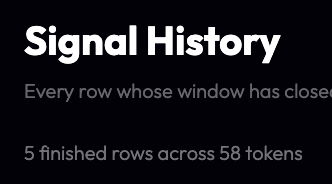
Signal History lists every prediction whose window has **closed**, newest first, each checked against real minute-by-minute prices.
The line above the table says how many finished predictions there are and across how many tokens. While the app is still loading history it adds "still reading".
### Columns
The columns match [Trade Signals](https://vscode-remote+ssh-002dremote-002bdeep3-002dserver001-002eanywhere.vscode-resource.vscode-cdn.net/home/dstephens/deep3labs/gitlab/hedera-frontend/docs/USER_GUIDE_GITBOOK.md#), except the last one is **Outcome**: what actually happened. For example:
* ✅ **Hit +20% in 2h 14m**
* ❌ **Missed +20% · best +8.4%**
* ❌ **Missed -15% · no trades**
Hover an outcome for the full sentence. See [Backtests and verdicts](https://vscode-remote+ssh-002dremote-002bdeep3-002dserver001-002eanywhere.vscode-resource.vscode-cdn.net/home/dstephens/deep3labs/gitlab/hedera-frontend/docs/USER_GUIDE_GITBOOK.md#) for every possible outcome.
In Degen mode, each outcome carries an orange **(reduced cutoff)** note, as a reminder that no model made this call at its trained cutoff.
### Scrolling
The list loads 100 rows at a time. Scroll to the bottom to load more. The footer tells you how many rows are left, whether the app is still reading history, or that you have reached the end.
## Insights
Insights reads the whole board at once, and shows how the eight models performed in training.
### Tracked tokens
Tracked tokens split into **Net buy** and **Net sell**, each broken down by strength band (**High**, **Medium**, **Low**). Each token is counted once, by its strongest call, so one very active token does not look like a market-wide move.
The subtitle tells you how many tokens have a call, how many were scored below every threshold, and how many have not published a score yet.
In Degen mode the bands are replaced by a single **picked** row.
### Firing by target
How many tokens each of the eight models is currently firing on, ordered from lowest cutoff to highest. In Degen mode this panel is titled **Adjusted rows by target** and drawn in grey, because its shape mostly reflects which cutoffs are lowest.
### Strongest calls
The same panel as on the Overview, showing up to six tokens.
### Models
The eight models, with the metrics from their training run.
{% hint style="info" %}
**These are training figures.** They were measured on held-out rows from the same data the models were trained on, covering about 20 tokens. They describe the training run, and are not a forecast of live accuracy. For what actually happened to live calls, see each token's **Backtest** panel.
{% endhint %}
## Token Details
Everything Hedera Signals knows about one token, on one page. Open it by clicking any token anywhere in the app.
Header
* The token **symbol** as the page title.
* The token's **EVM address**, with a **copy** button.
* The token's **Hedera id** (for example `0.0.123456`).
* **HashScan ↗** opens the token on the Hedera explorer.
* **☆ Star** (top right) adds or removes the token from your favourites.
If the token is one the pipeline deliberately ignores (such as a stablecoin or bridged asset), an orange note at the top says so. The page still scores it once when you open it.
### Stat tiles
| Tile | What it shows |
| -------------------------------------------- | -------------------------------------------------------------------------------------------------------- |
| **Current price** | Closing price of the newest price candle the models used. |
| **Models fired** | How many of the eight models are above their cutoff right now. |
| **Net flow** | The token's net flow, rank and swap count, if it is being tracked. |
| **Scores this event** / **Published scores** | How many scores have been published for this token, with rejected attempts and the time of the last one. |
### Live score
The eight models' predictions, calculated fresh when you open the page. They are grouped into the **4h horizon** and the **24h horizon**, and each row says how many models are above threshold.
Each cell shows:
* The predicted move (for example **↗ +20%**) and its timeframe.
* A **probability bar**. The thin vertical tick is that model's cutoff. The bar is coloured only if the probability passed the tick.
* The exact probability (**p**) and cutoff (**thr**).
* **Fired** or **Below threshold**, with the confidence score (**conf**).
* The **target price** the move would reach.
* The outcome of the last time this model's call on this token was checked, if any.
Cells that fired glow, so you can see at a glance which of the eight crossed.
Because the live score is calculated when you open the page, it can differ from the newest published score in the chart below. The two were taken at different moments on different price data.
### Published history
A chart of one model's probability over the token's published scores, with the model's cutoff drawn as a dashed line.
* Use the selector above the chart to switch between the eight models (**-10% 4h**, **+20% 24h**, and so on).
* Each dot marks one published score, coloured by how it turned out:
| Dot | Meaning |
| ---------------- | ------------------------------------------------------------------------------------------------ |
| 🟢 Green | Hit |
| 🔴 Red | Missed |
| 🟠 Amber | Not settled yet |
| ⚪ Grey | Not checked |
| ◯ Hollow outline | Degen or fabricated row. The outcome is real, but no model made this call at its trained cutoff. |
The topic id in the top right of the panel links to the token's message topic on HashScan, where every score is published.
### Tracking state
What the pipeline is currently doing with this token.
| Field | Meaning |
| --------------------- | ---------------------------------------------------------------- |
| **Side** | Buy or Sell. |
| **Board rank** | Position on the Flow Leaderboard. |
| **Gross volume** | Total traded in the window. |
| **Opened** | When tracking started. |
| **Last in top** | When the token was last near the top of the board. |
| **Next score due** | When it will next be scored. |
| **Rejects** | How many scoring attempts were refused, with the current streak. |
| **Last status** | The most recent attempt's status. |
| **Last checked call** | The most recent checked outcome. |
If the token is not being tracked, the panel says **No open event**. Any past calls are in Signal History.
### Backtest
Did the calls come true? This panel checks every past call on this token against real minute-by-minute prices.
* One row per model. The coloured squares show every checked call in order, oldest on the left: green hit, red missed, amber still running, grey not checked. Hover a square for the full outcome.
* **Click a row** to expand it into **runs**. A run is a stretch of consecutive scores that said the same thing, collapsed into one line, for example "6 scores from 3h ago · Hit +20% in 1h 12m · from $0.0412".
* If price data fails to load, an orange notice appears with a **Retry now** button. Failed checks also retry on their own.
Backtests only run in **Live** and **Degen** modes. In Simulated mode the panel explains that there is nothing real to check against.
See Backtests and verdicts for how outcomes are decided.
### Input quality
How good the price data behind the newest published score was.
| Metric | Meaning | White | Amber | Red |
| ------------------ | --------------------------------------- | --------------- | ------------ | ------------- |
| **Bars** | Price candles the models used | 120 or more | 60 to 119 | under 60 |
| **NaN fraction** | Share of model inputs that were missing | up to 2% | up to 8% | over 8% |
| **Span** | Time covered by the candles | 8 hours or more | 3 to 8 hours | under 3 hours |
| **Newest bar age** | How old the freshest candle was | up to 10 min | up to 20 min | over 20 min |
A score can be published on poor data. This panel lets you judge how much weight to give it.
## Settings
Settings controls where the data comes from and how it is shown, and reports on the health of the pipeline.
## Signals, targets and thresholds
### How a token gets scored
1. The pipeline reads every swap on Hedera and adds up the **net flow** for each token over a recent window.
2. Tokens at the top of the [Flow Leaderboard](https://vscode-remote+ssh-002dremote-002bdeep3-002dserver001-002eanywhere.vscode-resource.vscode-cdn.net/home/dstephens/deep3labs/gitlab/hedera-frontend/docs/USER_GUIDE_GITBOOK.md#) get a **tracking event** opened on them.
3. While a token is tracked, it is scored roughly every 15 minutes. Each score runs **eight models** on its recent price data.
4. Each score is published to the token's message topic on the Hedera Consensus Service, where anyone can read it on HashScan.
5. When a token drops off the top of the board, its tracking event closes after a grace period.
### The eight targets
Each model answers one yes-or-no question: **will the price move by at least this much within this time?**
| Horizon | Downside models | Upside models |
| ------------ | ------------------ | -------------- |
| **4 hours** | Down 10%, Down 15% | Up 20%, Up 30% |
| **24 hours** | Down 15%, Down 20% | Up 20%, Up 30% |
### Probability and threshold
Each model outputs a **probability** between 0 and 1. It **fires** only if that probability reaches its own **threshold** (also called its cutoff). Each threshold was set when the model was trained.
The thresholds are very different from one model to the next:
| Model | Threshold |
| ------------------- | --------- |
| Down 15% within 24h | 0.105 |
| Up 30% within 24h | 0.121 |
| Up 20% within 24h | 0.130 |
| Down 20% within 24h | 0.131 |
| Down 10% within 4h | 0.158 |
| Down 15% within 4h | 0.181 |
| Up 20% within 4h | 0.450 |
| Up 30% within 4h | 0.762 |
So the same probability can mean opposite things: **0.31** comfortably clears "Down 15% within 24h" and falls far short of "Up 30% within 4h". This is why every probability bar in the app draws the threshold as a tick.
### Confidence and strength
Because raw probabilities cannot be compared between models, the app ranks everything by **confidence**: how far past its own threshold a probability sits, on a 0 to 100 scale.
In Live mode, confidence is shown as a **strength** badge:
| Strength | Confidence |
| ---------- | --------------- |
| **High** | 66.66 and above |
| **Medium** | 33.33 to 66.65 |
| **Low** | below 33.33 |
Degen rows do not get a strength badge, because at a reduced cutoff every row would land in the same band and the badge would carry no information. They show an orange **degen N%** chip in its place.
### The headline call
When several models fire on the same token, the app picks the one with the **highest confidence** as that token's headline call, breaking ties by the larger move. This is the call shown on the Overview, Flow Leaderboard and Insights.
## Backtests and verdicts
A **backtest** checks whether a past call came true, using real prices.
### How a call is judged
1. When a score is published, the token's price at that moment is recorded as the **entry price**.
2. The app downloads real minute-by-minute prices for the following 4 or 24 hours from GeckoTerminal.
3. If the price reached the predicted move in **any single traded minute** inside the window, the call is a **hit**. Otherwise it is a **miss**.
4. A window with no trades at all counts as a miss, matching the rule the models were trained on.
Prices are checked in your browser, about one request every 12 seconds. The header's queue badge shows progress. Results are cached, so returning to a page is instant.
### Outcomes
| Short form | Full description | Meaning |
| ---------------------------- | --------------------------------------------------------------- | ------------------------------------------ |
| **Hit +20% in 2h 14m** | Hit +20% in 2h 14m · price reached +21.3% | The move happened. |
| **Hit +20% at once** | Hit +20% within a minute | The move happened in the first minute. |
| **Missed +20% · best +8.4%** | Never hit +20% · best it reached was +8.4% | The window closed without the move. |
| **Missed -15% · no trades** | No trades at all in the window | Counts as a miss. |
| **Still running** | Still running · window closes in 1h | The window is still open. |
| **Settling** | Window closed · waiting up to an hour for late trades to settle | Waiting for late price data. |
| **Checking…** | Checking prices… | Prices are loading. |
| **Prices did not load** | Prices did not load · retrying | Temporary error. It retries automatically. |
| **Beyond 180 days** | Older than the 180 days of free price history | Too old to check. |
| **No price on the score** | This score was published without a price | Cannot be checked. |
| **No price pool** | No price pool is listed for this token | Cannot be checked. |
### When there is nothing to check
On the Flow Leaderboard and elsewhere, a "last checked" cell may explain why there is no outcome:
| Text | Meaning |
| --------------------------------------------- | ------------------------------------------------------------------------------------------------ |
| queued / checking… | The check has not run yet. |
| no score crossed a cutoff | Scores were published, but no model fired. |
| this event published no scores | The token was tracked, but every scoring attempt was refused (usually thin or stale price data). |
| token never published a score | The pipeline has never scored this token. |
| its scores are no longer on the topic | Scores from this event have aged out. |
| older than the 500 scores the service returns | The service only returns each token's newest 500 scores. |
| scores could not be read | Loading failed. It retries automatically. |
Hover the text for a longer explanation.
### Why there is no hit rate
You will not find an accuracy percentage anywhere in the app. Scores publish about every 15 minutes and their windows overlap heavily, so consecutive calls on the same token are close to being the same call repeated. A percentage built from them would look like far more evidence than it is. The app shows every individual outcome and leaves the counting to you.
Also keep in mind:
* Only calls that fired are checked. Calls the models chose not to make are not measured.
* Outcomes are judged on the GeckoTerminal price pool with the most trades in the window, which is not always the pool the entry price came from.
## Glossary
| Term | Meaning |
| -------------------------- | ------------------------------------------------------------------------------------------------------------------------- |
| **Backtest** | Checking a past call against real prices to see if it came true. |
| **Call / signal** | One model predicting one move on one token within one time window. |
| **Confidence** | How far past its own threshold a probability sits, from 0 to 100. Used to rank calls. |
| **Cutoff** | Same as threshold. |
| **Degen mode** | A data mode where models fire at a reduced cutoff. |
| **Entry price** | The token's price when a call was made. |
| **Event (tracking event)** | The period during which the pipeline tracks and scores a token, starting when it reaches the top of the Flow Leaderboard. |
| **Fired** | A model's probability reached its threshold. |
| **Gross volume** | Buys plus sells, with no cancelling. |
| **HashScan** | A public Hedera block explorer. The app links to it for tokens, accounts and topics. |
| **HCS topic** | A Hedera Consensus Service message stream. Each tracked token's scores are published to its own topic. |
| **Horizon / timeframe** | The time a call has to come true: 4 hours or 24 hours. |
| **Ingest** | The pipeline step that reads Hedera swaps and ranks tokens. |
| **Net flow** | Buys minus sells. Its size ranks the Flow Leaderboard and its sign gives the side. |
| **Probability** | A model's output, between 0 and 1. |
| **Run** | Consecutive scores on one token that said the same thing, grouped into one line in the Backtest panel. |
| **Side** | Buy (net buying pressure) or Sell (net selling pressure). |
| **Strength** | High, Medium or Low, based on confidence. Live mode only. |
| **Target** | The move a model predicts, such as "Up 20% within 4h". |
| **Threshold** | The probability a model must reach to fire, set when it was trained. |
| **Verdict / outcome** | The result of a backtest: hit, missed, still running, and so on. |
| **Wallet Cloud** | The 3D map of Hedera accounts. |
## FAQ & Troubleshooting
Why is Trade Signals empty?
Check the data-mode badge first.
* **In Live mode**, an empty list usually means no model's probability has crossed its trained cutoff. The models are conservative and will often decline to make a call.
* **If the message says the pipeline is not tracking any token**, check the ingest pulse in the header. If it is not green, the pipeline may be behind or stopped.
* **If the message says rows are hidden by filters**, widen your filters or click **Reset filters** in Settings.
Why do the numbers look different after I changed mode?
Each mode draws its rows differently. Live shows only genuine model calls, Degen lowers the bar, and Simulated invents everything. The Backtest panel says "Backtests run on live data only".
You are in Simulated mode. Switch to Live or Degen in Settings. The queue badge has said "Checking…" for a long time.
That is expected on first load. Prices are fetched about once every 12 seconds per token to stay within the free price service's limits. Everything is cached once checked.
Why does the Live score not match the newest point on the chart?
The Live score is calculated when you open the page, on the freshest price data. The chart shows scores that were published earlier, on the price data available then.
The ingest pulse says "lagging" or "wedged".
The background pipeline has fallen behind or stopped. The signal screens will go stale until it recovers. Open the pipeline panels in Settings for details, and let your operator know. The Wallet Cloud says "Could not load the wallet cloud".
The account data files could not be downloaded. Reload the page. If it keeps happening, the deployment may be missing its data files, so let your operator know.
Rotating the Wallet Cloud feels wrong after I flew to a cluster.
Click **Reset view** in the top right. Flying to a cluster moves the point the camera orbits around, and Reset view puts it back.
My account id is not found in the Wallet Cloud.
The map shows only the 65,162 accounts that fell into a behavioural cluster. Most accounts in the dataset were unclassified and are not on the map.
Can I connect my wallet or trade from the app?
No. Hedera Signals is read-only. There is no wallet connection and nothing to sign.
---
# Agent Instructions
This documentation is published with GitBook. GitBook is the documentation platform designed so that both humans and AI agents can read, navigate, and reason over technical content effectively. Learn more at gitbook.com.
## Querying This Documentation
If you need additional information that is not directly available in this page, you can query the documentation by asking a question.
Perform an HTTP GET request on the following URL with the `ask` and `goal` query parameters:
```
GET https://docs.deep3.ai/the-business/our-dapps/hedera-signals/user-guide.md?ask=&goal=
```
`ask` is the immediate question: it should be specific, self-contained, and written in natural language.
`goal` is what the user is ultimately trying to achieve, the reason they need the answer. Sharing it helps GitBook give you a better, more relevant answer. A goal is most helpful when it describes the outcome the user wants rather than restating the question. For example, with `ask=how do I create an API token`, a goal like `automate deployments from our CI pipeline` lets GitBook tailor the answer to that use case.
The response will contain a direct answer to the question and relevant excerpts and sources from the documentation.
Use this mechanism when the answer is not explicitly present in the current page, you need clarification or additional context, or you want to retrieve related documentation sections.